
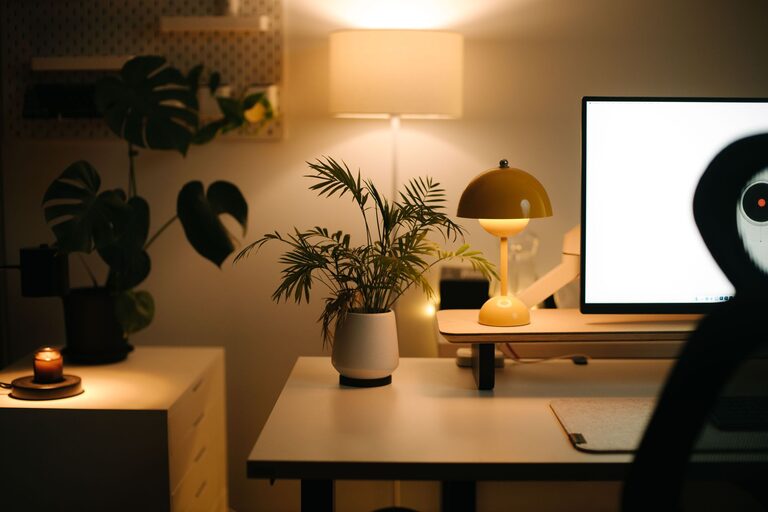
Creating a cozy and functional home workspace is essential for anyone spending significant time working or studying from home. A well-designed workspace not only enhances productivity but also promotes comfort and well-being. Whether you have a dedicated room or just a small corner, these tips will help you build a workspace that is both inviting and efficient.
Why a Cozy and Functional Workspace Matters
Working from home can blur the lines between personal and professional life. A designated workspace helps separate work from relaxation, improving focus and work quality. Comfort reduces fatigue and discomfort, while functionality ensures you have everything you need within reach, minimizing distractions.
Choose the Right Location
Find a Quiet Spot
Choose a part of your home with minimal distractions. If possible, avoid high-traffic areas like the kitchen or living room where noise and movement can interrupt your concentration.
Consider Natural Light
Natural light enhances mood and energy levels. Position your desk near a window to benefit from daylight. If window space is limited, invest in good quality daylight simulation lamps.
Invest in Ergonomic Furniture
Select a Comfortable Chair
A supportive chair with adjustable height and backrest helps prevent back and neck pain during long work hours. Ergonomic chairs can make a noticeable difference in comfort.
Opt for a Suitable Desk
Pick a desk at the right height for your work style and space. Consider adjustable or standing desks if you want flexibility in your posture throughout the day.
Organize with Purpose
Declutter Your Space
A tidy workspace promotes clear thinking. Use storage solutions like shelves, drawers, or organizers to keep supplies neat and easily accessible.
Keep Essentials Within Reach
Arrange commonly used items such as pens, notebooks, and technology close to you. This reduces interruptions and keeps your workflow smooth.
Personalize for Comfort and Inspiration
Add Cozy Elements
Soft cushions, a warm throw, or a small rug can make your workspace feel inviting and reduce stress. Choose colors and textures that you find calming.
Display Inspirational Items
Photos, plants, or artwork can boost motivation. Indoor plants also improve air quality and add a touch of nature to your setup.
Optimize Lighting
Combine Task and Ambient Lighting
Good lighting prevents eye strain. Use a combination of overhead lights and adjustable task lamps to illuminate your workspace effectively.
Reduce Glare and Shadows
Position your screens and lights to avoid glare, which can cause discomfort and headaches. Use blinds or curtains to control outdoor light levels.
Manage Technology and Cables
Use Cable Organizers
Keep wires and cables tidy with clips, trays, or sleeves. Organized cables prevent tangling and look visually cleaner.
Invest in Reliable Equipment
Ensure your computer, internet connection, and peripherals meet your work needs to avoid frustration and downtime.
Create a Routine-Friendly Setup
Define Your Workspace Hours
Having a designated space encourages a work routine. Use your workspace only during your work hours to help mentally separate work and leisure.
Incorporate Break Areas Nearby
If space allows, create a spot close to your workspace where you can take short breaks to stretch, relax, or enjoy a snack.
Maintain Your Workspace
Regularly Clean and Refresh
Dust and clean your workspace weekly to keep it inviting. Rearrange or update items occasionally to maintain enthusiasm and prevent stagnation.
Reflect on Your Layout
Pay attention to what works and what doesn’t. Adjust your setup over time to meet changing needs or to improve comfort and efficiency.
—
Creating a cozy and functional home workspace is about balance: combining comfort with organization, personal style with practicality. With a thoughtful approach and these tips, your home workspace can become a place where you enjoy spending your time and produce your best work.